
Stop chasing people for signatures. Build automated approval workflows that just work.
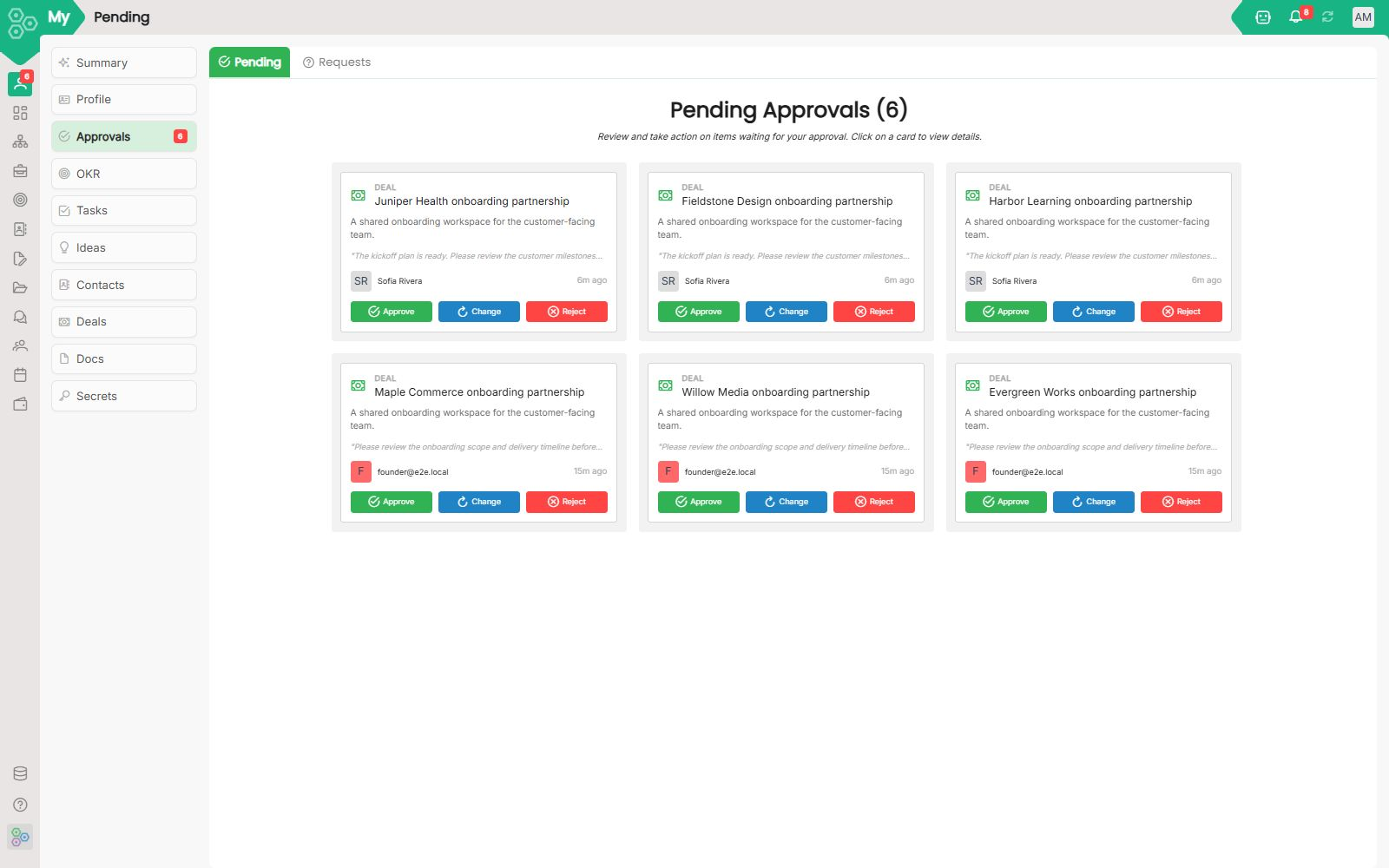
The Approvals module turns the frustrating "let me get back to you" delay into a smooth, tracked workflow. Instead of sending Slack messages or endless follow-up emails, your team can submit requests and get formal sign-offs automatically. On the approvals screen, everything lands in a clean dashboard where you can approve, request changes, or reject items with a single click.
What you can route for approval
Honestly, just about anything. You can route vacation requests, expense claims, hiring decisions, content publishing, or major contract sign-offs. If a data model has an approval workflow configured in the system, it automatically appears right here. For instance, the screen shows pending action cards for an Event Signup and a specific Task like monitoring customer health metrics, proving how versatile this workspace is.
Building a reliable chain
For every type of request, you can define an ordered list of approver roles or specific individuals. To keep things moving efficiently, each step can be customized with advanced logic:
- Timeouts and escalations: Set a time limit so requests automatically escalate to the next tier if someone is out of the office or busy.
- Conditional skips: Create rules to skip unnecessary steps, such as only requiring Finance approval if an expense exceeds €1,000.
- Per-step comments: Approvers can add specific notes or feedback at their exact stage of the chain.
Pending vs Requests
The module keeps things organized using two main views, which you can spot at the top left of the screen:
- Pending (or My Approvals): This is your personal actionable queue. It displays items actively waiting for your green light so you can process them instantly.
- Requests (or My Requests): This is your tracking center. It shows every item you have submitted along with its current real-time state.
Both views are automatically sortable by age, ensuring that no critical request rots in someone's inbox or gets forgotten over time.
A bulletproof audit trail
Compliance and transparency shouldn't be an afterthought. Every single action, whether it is an approval, a rejection, a requested change, or a sudden re-route, is logged with a permanent timestamp and the specific user's ID. When review season comes around, you can export the entire history to a clean PDF for compliance reviews and internal audits.
[FAQ-CATEGORY:approvals]