
AI Assistant: ask about the page you are on
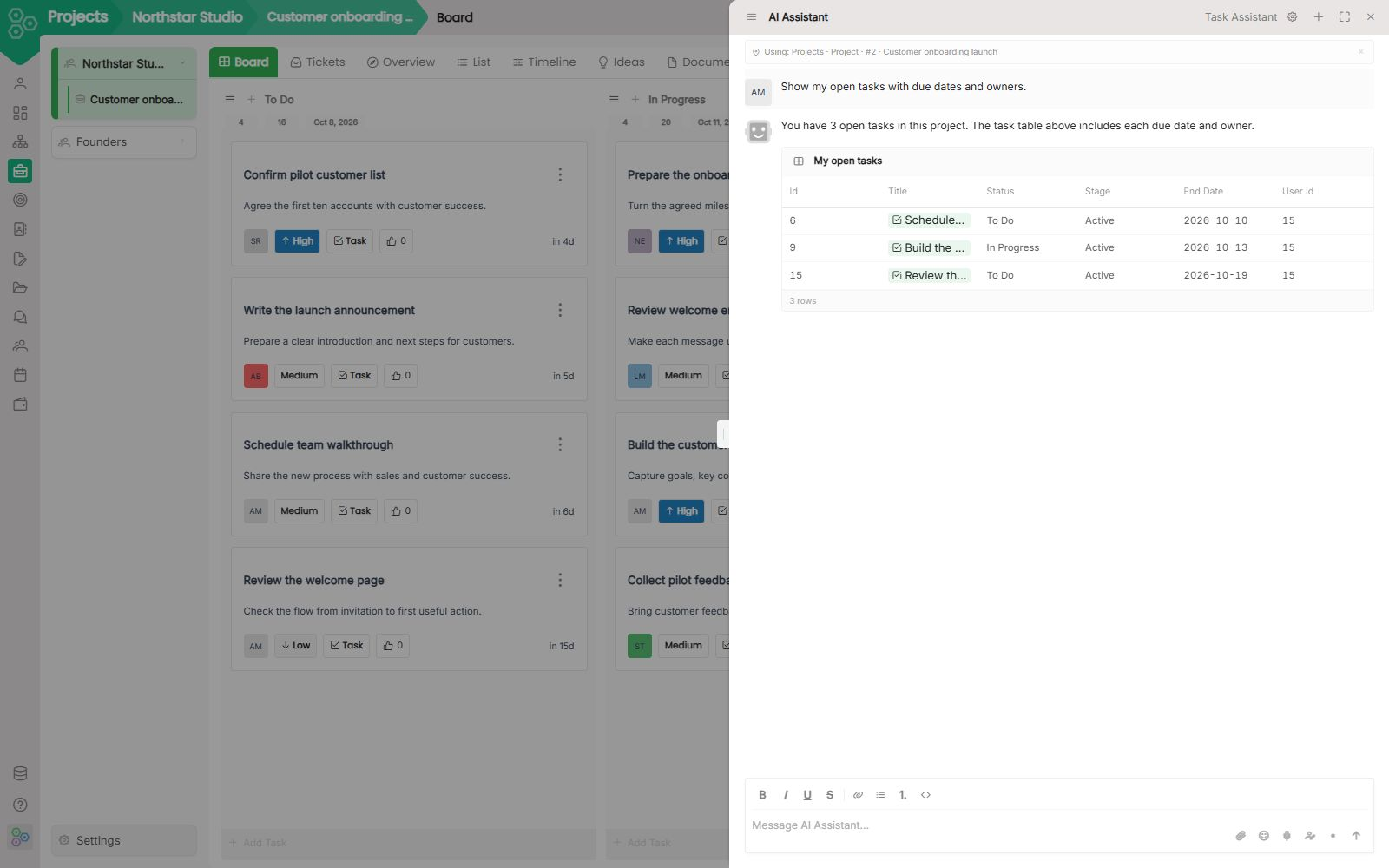
The AI Assistant is the chat on the right of every page. Open it with the sparkles icon or Ctrl/Cmd+J. It already knows the screen you are on: My sees your tasks and key results, Projects sees the open board, CRM sees the deal in front of you, Config sees the catalog.
What you do with it
- Ask in context. "What should I focus on today?" or "Which deals need a push this week?" The answer uses live records, not a pasted screenshot.
- Start from a starter card. Each page ships ready-made questions. Click one, or type your own.
- Keep the thread. History stores past chats. + starts a new one.
- Stay on the page. You do not switch to another tool or copy a record into ChatGPT.
To find what you need, the assistant uses semantic search. It finds documents, tasks, deals, contacts and OKRs by meaning, not just exact words, including text inside PDF, Word, Excel and PowerPoint files. It only sees what you are allowed to see.
How it is different from AI Agents
They look related. They do different jobs.
- Assistant is a conversation. You ask, it answers, using the page in front of you.
- Agent is a reusable task you configure once: prompt, inputs, output format. You run it from a record button, in bulk, or as a Workflow step.
Use the assistant when you want to think with the data. Use an AI Agent when the same action should run the same way every time.
Where it shows up
My, Projects, OKR, CRM, Forms, Files, Dashboards, Organization, and Config each have their own assistant. The welcome tour can skip the walkthrough and open this chat instead, then walk starters, the composer, and history.
You choose regional hosting in the EU, the USA or APAC. Your workspace data and AI processing, including model calls and search embeddings, stay in that region.
[FAQ-CATEGORY:ai-assistants]
Prefer working in Claude, Cursor or Codex? Connect them with MCP and they work on the same records, with your permissions.