
Forms that are also a CRM, also a database, also a workflow
Most form tools are just simple inboxes with a pretty interface on top. You build a form, embed it on your website, and then the responses just pile up in a cold list that you have to constantly monitor. Worknano Forms is completely different. Every single submission automatically becomes a live record in a real, queryable, and deeply related database. It is the exact same core system where your CRM, support tickets, and company operations live. The form itself is just the front door.
Manage everything from a clear dashboard
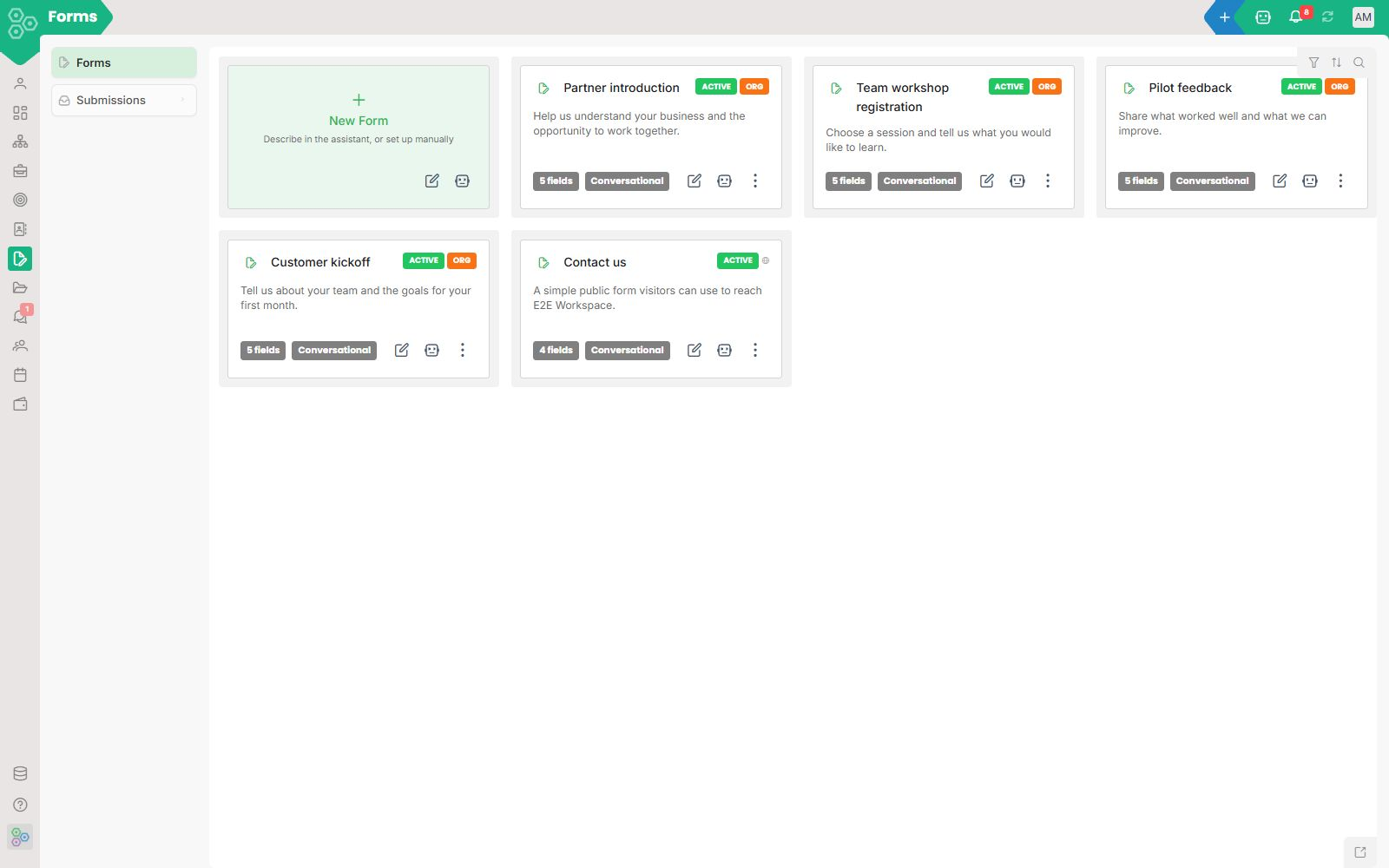
Your workspace opens with a clean card-based overview of all your active and draft forms. Each card shows you the form name, status badges like Active or Draft, the total number of fields included, and a real-time response counter so you can track submissions at a glance.
Build beautiful forms in clicks
Creating forms feels completely natural. The interface gives you a powerful two-column builder. On the left, you can set up custom steps and add fields like Full Name, Email Address, Phone Number, Subject, and Message with simple dropdown types. You can quickly flag fields as Required with a quick checkbox, reorganize items, and activate a toggle for Auto Process Submissions. On the right side, a live preview panel updates in real time to show exactly what your users will see.
Smart Assessments That Score Themselves & Power Your CRM
Stop forcing people into static, boring forms. Turn your onboarding, candidate screening, or customer discovery into interactive quizzes that evaluate in real time. WorkNano scores responses instantly and generates visual reports giving your audience immediate value while giving you deep, actionable insights. The best part? Every score, custom tag, and behavioral signal flows straight into your CRM profile. Your team gets perfect context for follow-ups, and your automation triggers instantly with zero manual data entry.
Advanced options and flexible styling
You will find total control over how your form behaves and looks. You can switch the status between Draft, Active, or Archived, and toggle public availability or CAPTCHA protection with a single click. The styling section lets you instantly change the form layout to Default, Compact, Spacious, Minimal, or a modern Conversational wizard flow. You can also adjust label positioning to Vertical, Horizontal, or Minimal, write a custom Success Message, and copy your public Share URL or JavaScript Embed Code instantly.
Ship it anywhere
Every form you create gets its own unique public URL that you can share immediately, embed directly into Website, drop into an email campaign, or display on a physical kiosk. Spam protection and rate limits are taken care of. Autoresponders use your own custom domain, and robust webhooks fire the moment a submission lands, allowing external systems to react in real time.
What submissions actually become
Submissions here are not just rows of text that you have to manually copy and paste. They are rich records that you can filter, segment, assign to team members, leave comments on, or automate. A contact form submission feeds right into your CRM leads. A job application instantly populates a candidate profile in your HR module. A bug report turns into a live support ticket with technical details and screenshots already securely attached.
Ready-to-use templates for real workflows
We ship built-in patterns so you do not have to start from scratch. Easily launch lead capture forms with auto-routing to the correct sales rep, job applications paired with AI-scored shortlists, customer feedback forms with automated sentiment tagging, event registrations with automated waitlists, or internal company requests complete with approval chains and strict SLAs.
[FAQ-CATEGORY:forms]