
Website Builder: Ship a real marketing site from your workspace
If your marketing site, your help center, your blog, and your gated portal each live on a different platform, you pay four bills, manage four logins, and copy your brand kit into four places that drift. Worknano's website builder collapses all four into one workspace that already knows your brand, your data, and your team. Stop hacking together external integrations and launch fully integrated pages instantly.
Compose, do not code with instant template sections
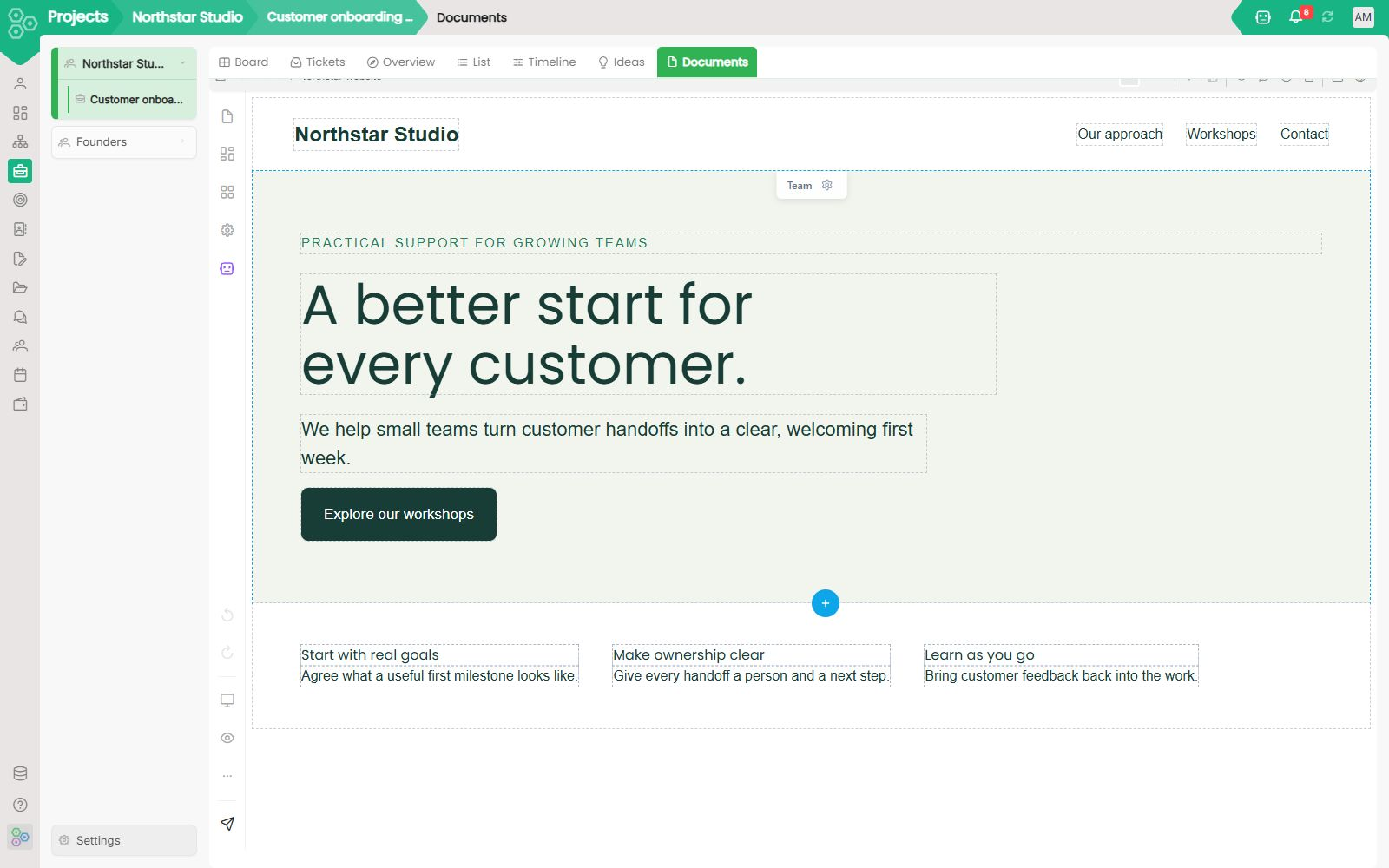
Designing high-converting web surfaces requires zero engineering skills. The built-in Templates drawer lets you choose from pre-built layout groups categorized cleanly by type, including Landing Page, Portfolio, Travel, Community, E-Commerce, and Agency. Whether you are featuring trusted banners like "Trusted by 500+ Enterprise Clients", arranging a hero section for "Enterprise-Grade Cybersecurity Solutions", or tracking live operations via the custom "Stats" section with elements like "Enterprise Clients Protected", you simply tap to inject them. The visual editor gives you an inline toolbar right on the page canvas to configure structural properties, adjust layouts, and manage global items effortlessly.
Drag and drop basic elements or data-rich smart widgets
Building complex page layouts is an intuitive, visual process. The Elements panel organizes everything your page needs into three clear, expandable tiers. Basic Elements let you click and place core blocks like Heading, Text, List, Quote, Image, Video, Icon, Button, Link, Social, Card, and CTA. The Layout section lets you define structural grids like Spacers, Dividers, 2 Cols, and 3 Cols to anchor your text perfectly, such as configuring subheadings like "Why Choose CalmFlow?". Most importantly, the Smart Widgets drawer lets you drop live blocks like Gallery, Cards, Team, and Reviews into sections like your "Hero" tier, letting you render rich interactive audio components like a "Daily Calm" 10-minute meditation player seamlessly.
Configure real production settings, SEO, and pages
When managing your live site structure, the configuration workspace provides a dedicated sidebar engine to oversee your site properties. The Pages menu lets you see your active node list, such as your core "Home" page draft status. The collapsible settings tree gives you direct control over your site's operational architecture through options for Basics, SEO (complete with real-time scoring like 20/100), Page Options, Custom Code injections, and nested node Layout Trees. This interface lets you perfectly compose and view real content blocks on the canvas, such as testimonial tiers like "Trusted by Students & Parents" featuring individual review grids for users like Sarah Johnson, Michael Chen, and Emily Rodriguez, alongside interactive, expanding FAQ accordions like "Can I change or cancel my plan at any time?".
What ships out of the box
- Over 300+ beautifully styled template sections including heroes, pricing tiers, testimonial sliders, and contact forms.
- An in-place copy editor that lets you swap out imagery directly from the shared file manager your team uses daily.
- Brand-aware components that automatically inherit your colors, typography, and tone from your global brand kit.
- Simultaneous mobile and dark-mode previews baked directly into the primary canvas layout.
- Custom domain mapping with automated free TLS certificates, automated sitemap generators, and hands-free robots.txt creation.
- Granular visibility access so any page can be public, password-gated, or restricted to defined administrative roles.
Live workspace data on the page
Because the website builder is part of the workspace, you can drop a Smart Widget onto any canvas to safely pipe real-time records straight from your CRM pipelines, HR systems, team OKRs, or financial dashboards without setting up webhooks, running APIs, or maintaining fragile integration scripts. Build robust client portals, public status dashboards, or partner portals using the live business data you are already creating inside your workspace.
[FAQ-CATEGORY:website-builder]