
Your data model, visible and editable, no migrations required
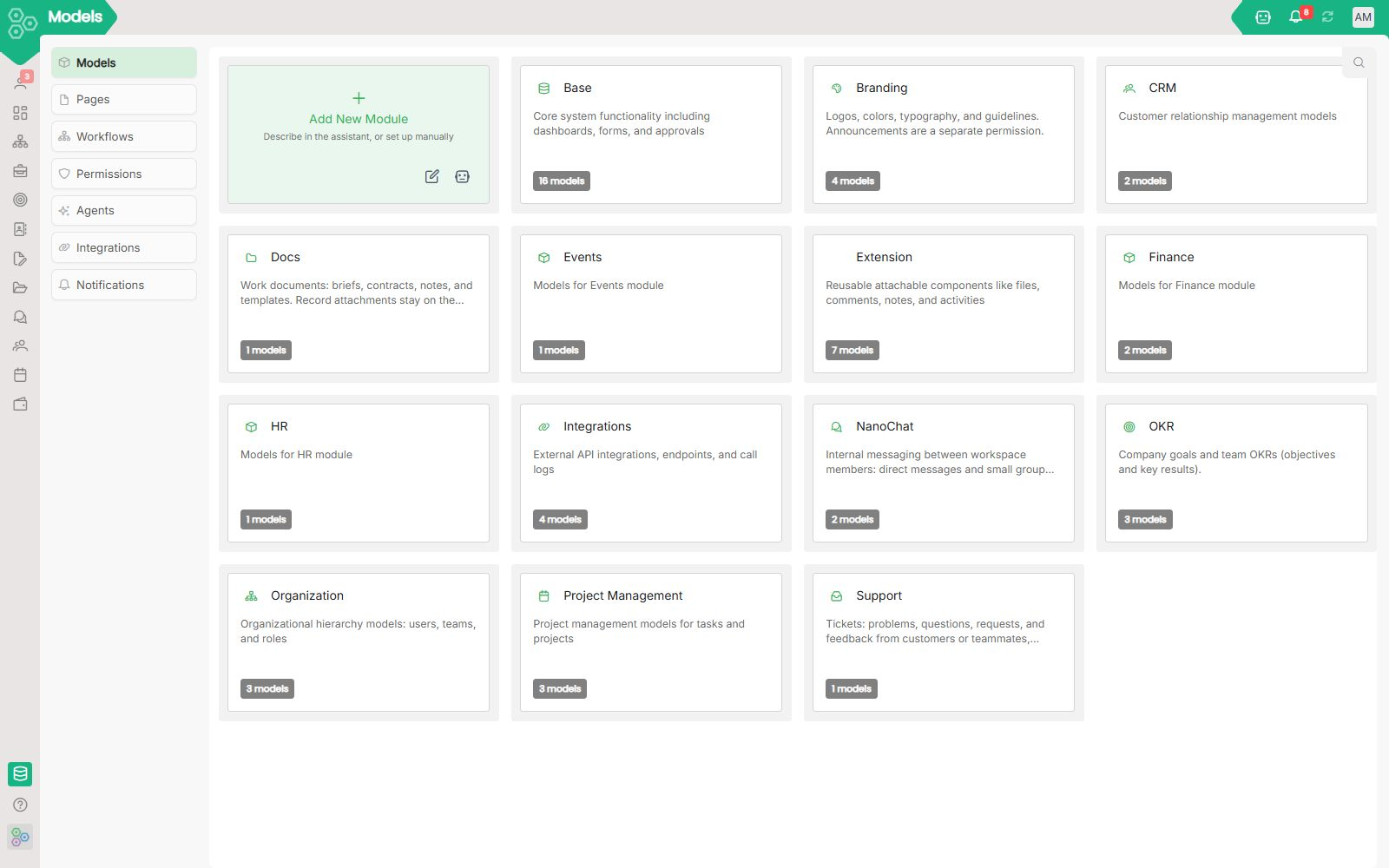
Most SaaS tools give you the columns their engineers decided you need. You get one custom field if you're lucky, and a feature request form if you need a real relation. Worknano ships the full Data Model designer to every workspace, every plan, on day one.
See every model your workspace runs on
The Models tab shows every module and its underlying data models, Branding, CRM, Events, Finance, HR, OKR, Organization, Project Management, with a model count and description for each. Click any module to inspect its fields, relations and structure. Add a new module from scratch, or let the AI build it for you.
Pages: every module gets a real UI
Every data model ships with a pre-built page, Dashboard, CRM, OKR, Projects, HR, Finance, Branding, Organization, Files, Events, Integrations and more. Each page has a layout type, a section count, and is fully editable. Need a custom org chart? Open the page editor, pick OrgChartList as your component type, set your route and icon, and watch it render live in the preview panel, no code, no deploy. Add sections, pick component types, and configure each one until the page does exactly what your team needs.
Permissions that actually follow your org
The Permissions tab lets you define Access Levels, grant a user full access to specific modules regardless of their role, and set Model Permissions per module. Branding, Organization, Project Management, OKR, CRM, HR, Events, Finance, each module's models are individually toggleable. Green means access, grey means none. No more "everyone is an admin because the permissions were too hard to configure."
Forms and submissions, built in
Build input forms directly on any model. Submissions land in the Submissions tab, no third-party form tool, no Zapier glue, no CSV import. The form respects your validation rules and writes directly to your data model.
AI Module Builder: describe it, ship it
Describe a module in plain English. The AI generates the data model, the input form, the workflow rules and a starter page, inside the same auth, the same permissions and the same database as everything else. Edit anything it generated in the designer. There is no plugin marketplace. The module is a first-class citizen of your workspace from the moment it's created.
[FAQ-CATEGORY:data]