
Dashboards that are wired to the actual work
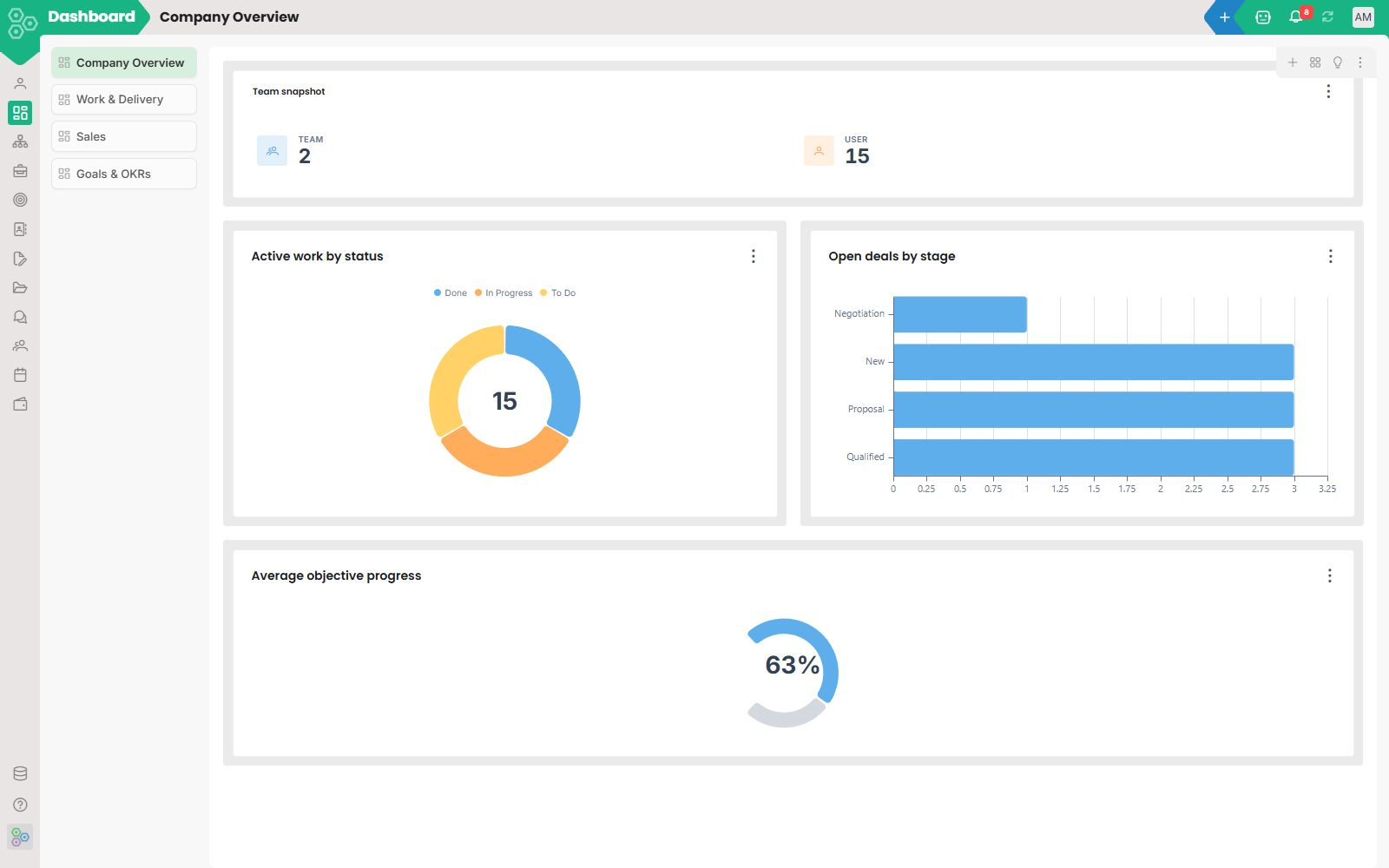
Most dashboards live in a separate tool, refresh on a schedule, and tell you what already happened. Worknano Dashboards are inside the workspace, built from the same data your team works in, so the number you see and the record behind it are one click apart.
Cross-module by default
Pull tasks by status, goals by type, projects by owner, attendance, objectives, invoices and web analytics into one view, without a single line of SQL. Filter the whole dashboard by team, date range or segment with one control. It is not a report you commission from ops. It is a view you compose in minutes.
A widget library that already knows what you need
Hit Suggestions and Worknano surfaces dozens of pre-built widgets mapped to your actual data, Total Tasks, Form Submissions by Status, Payroll Run by Stage, Key Results by Status, Team by Lead, and a lot more. Pick what matters, drop it on the canvas. If the pre-built widget is not quite right, open the custom widget builder: pick your data source, model, group-by field, split, sum or average, and add filters. No BI tool required.
Every chart type, no config headaches
Bar charts, donut charts, line charts, pie charts, switch chart type from the widget settings panel in one click. Adjust text position, group by any field, split by any dimension. Each widget is independently configurable so a single dashboard can mix a revenue trend line with a headcount donut and a task-status bar chart without any of them fighting for space.
Pre-built dashboards for every shape of team
Worknano ships with ready-made dashboards for HR, Executive, Team & Performance and Sales, live on day one, no setup. Founders get revenue and runway. Sales managers get pipeline and forecast. HR leads get headcount and attendance. Each user can pin their own default. Each team can publish its own view. Edit layout, set a default, or clone to a new tab, all from the three-dot menu on any dashboard.
From number to action in one click
Click a chart segment to drill into the records behind it. Open a record to assign, escalate, comment or schedule, without leaving the workspace. No exporting to a BI tool, no asking ops for a list, no waiting until Monday's standup to find out a project is over budget.
[FAQ-CATEGORY:dashboard]